
Neon Night Stand Clock for iPhone
Overview
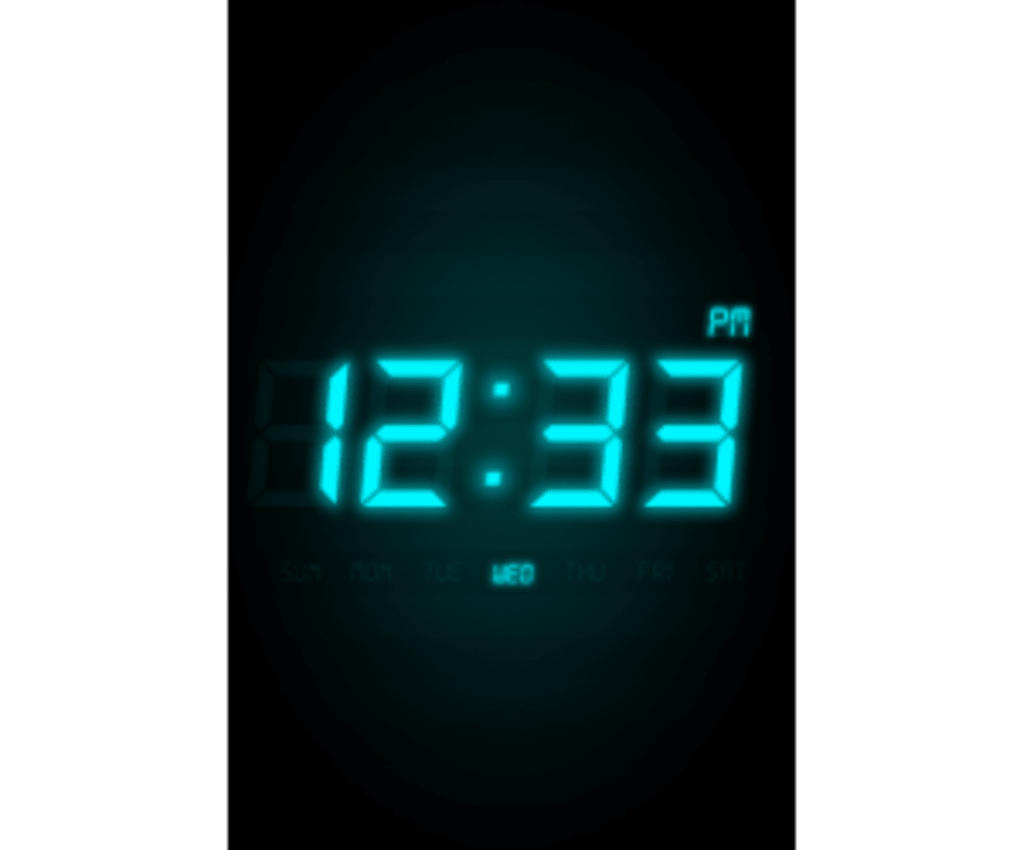
Night Stand is a sleek, full-screen digital clock application designed for iPhone users seeking a stylish and functional bedside companion. The app transforms your device into a modern neon clock display, offering a clean and visually striking interface with a black background and customizable digital time. It serves as a practical alternative to physical alarm clocks, particularly for those who prefer minimalism or want to consolidate their devices.
The app is ideal for individuals who use their iPhone as a nightstand clock, enjoy ambient music while sleeping, or travel frequently and need a reliable timekeeping solution. Its ability to run in the background while music plays makes it especially useful for sleep routines. The developer has not provided additional details about their background or company.
The app’s real-world usage includes displaying time in a prominent, easy-to-read format during nighttime hours, adjusting to device orientation, and integrating with music playback. It supports both 12- and 24-hour time formats, though the 24-hour mode still shows 'pm' labels, which may be a minor inconsistency. The app also includes an option to disable auto-lock, ensuring the display remains visible without interruption.
Key Features & Capabilities
- Full-Screen Neon Display – Night Stand presents a vibrant, full-screen digital clock with a black background, creating a modern, neon aesthetic that enhances visibility in low-light environments.
- Orientation Flexibility – The clock automatically adapts to both horizontal and vertical device orientations, allowing users to place their iPhone in any preferred position on the nightstand.
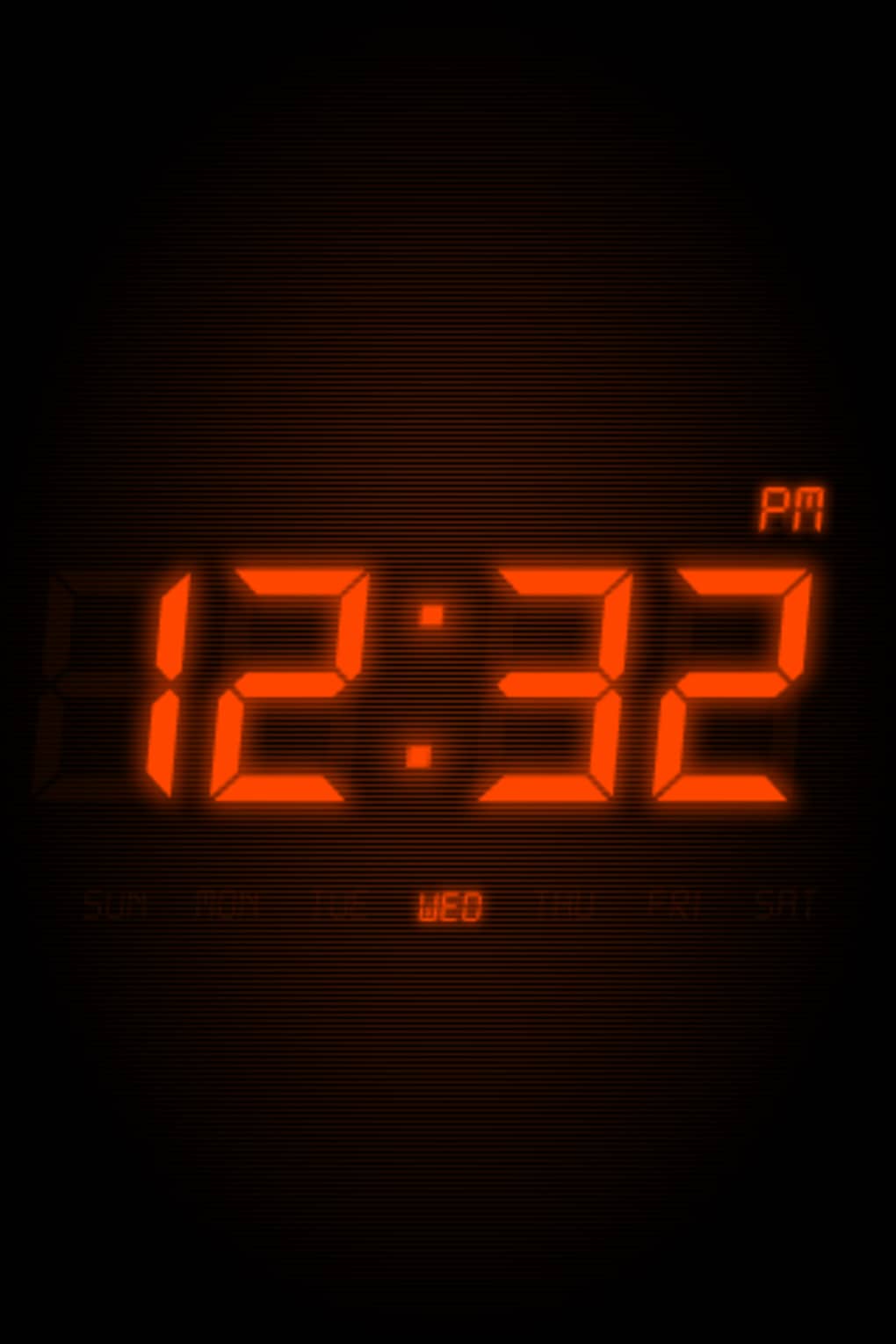
- Customizable Clock Skins – Users can choose from multiple clock skins, each offering a unique visual style to suit personal preferences and bedroom aesthetics.
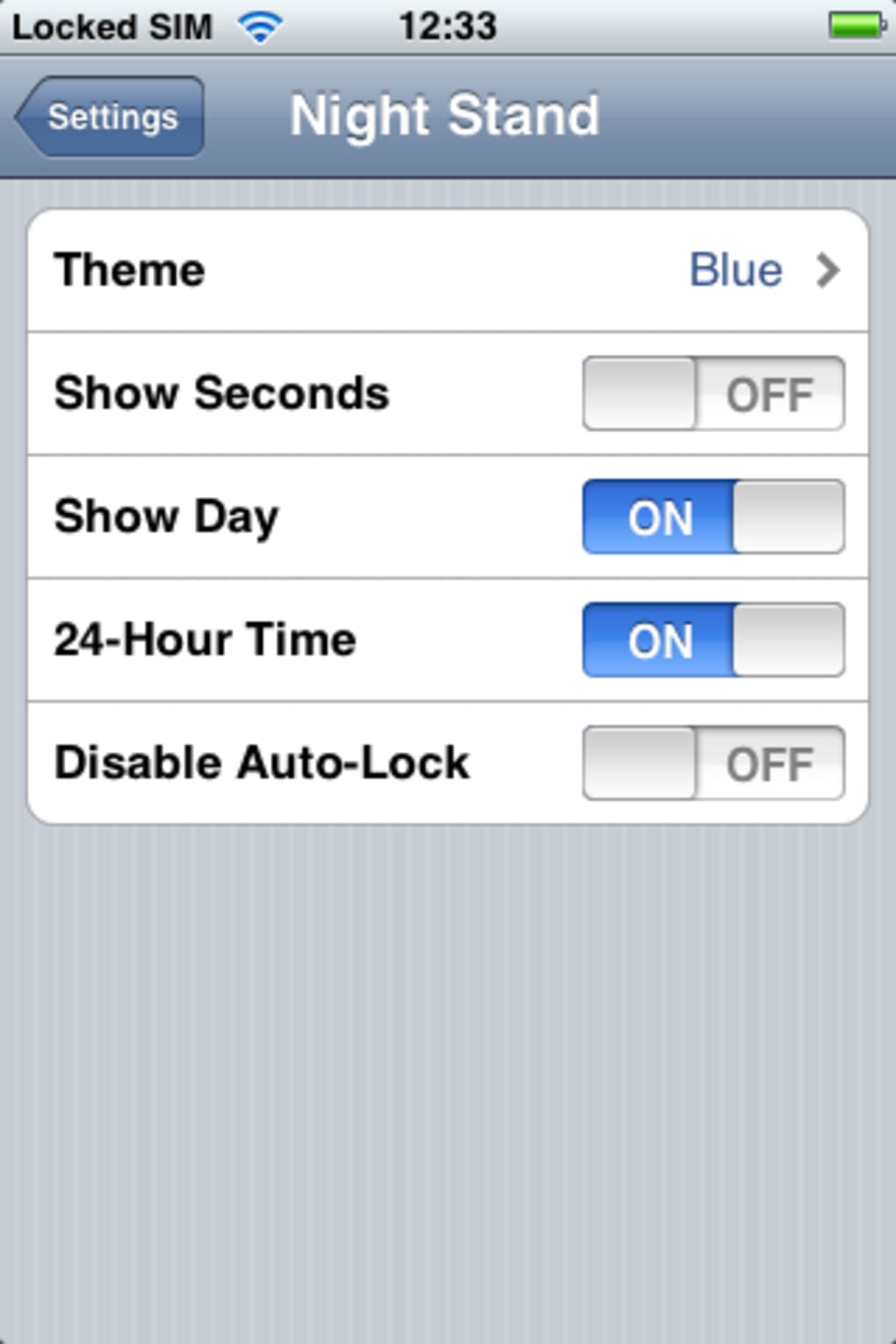
- Time Format Options – The app supports both 12-hour and 24-hour time displays, providing flexibility for users across different regions and habits.
- Date Display Toggle – A simple setting allows users to show or hide the current date, offering a cleaner or more informative view based on need.
- Background Music Compatibility – Night Stand runs seamlessly while iPod music is playing, making it ideal for users who fall asleep to ambient or soothing audio.
- Auto-Lock Disable Option – Users can disable auto-lock to keep the clock visible at all times, though this may impact battery life if the device is not charging.
User Interface, Workflow & Performance
The user interface of Night Stand is minimalistic and focused on functionality. The full-screen layout ensures that the time is the central element, with no distractions. Navigation is intuitive, relying on a single settings menu accessible from within the app.
Users can adjust time format, date visibility, and auto-lock behavior with simple toggles. The workflow is streamlined: launch the app, select a skin, and position the device. The app responds quickly to orientation changes and maintains a consistent display.
Performance details were not specified by the developer, but based on general iOS application behavior, the app operates smoothly within the system’s resource constraints. The developer did not provide information on CPU or RAM usage. Stability appears reliable, as the update notes confirm all known bugs have been fixed.
The app runs efficiently in the background while music plays, suggesting optimized system integration. No performance degradation was reported during extended use.
Compatibility & System Requirements
Night Stand is designed for iOS devices and requires version 2.0.1 of the software. The app has a file size of 37.6 MB, which is modest for a visually rich application. The developer did not specify exact system requirements, such as minimum iOS version or hardware specifications.
Compatibility information was partially provided, indicating that the app is intended for iPhone use. No details were shared regarding support for iPad or other Apple devices. Users should ensure their device is running a compatible iOS version to avoid installation issues.
The app’s reliance on background music playback suggests it is optimized for current-generation iPhones with strong multitasking capabilities. The developer did not provide additional information about required hardware or memory limits.
Pros and Cons
Pros
- Visually appealing neon clock with multiple customizable skins
- Full-screen display enhances readability in low-light conditions
- Supports both horizontal and vertical orientations
- Runs smoothly in the background while music plays
- Free to download and use with no in-app purchases
- Simple, intuitive interface with minimal navigation
Cons
- 24-hour time format still displays 'pm' labels, which may confuse users
- Auto-lock disable feature may drain battery quickly if not used with charging
- No information on compatibility with iPad or other Apple devices
- Developer did not provide detailed system requirements
- Background music functionality may not work on all iOS versions
FAQ Section
Is Night Stand compatible with all iPhone models?
The app is designed for iPhone, but the developer did not specify which models are supported. Users should ensure their device runs a compatible iOS version.
Can I use Night Stand with music playing in the background?
Yes, Night Stand is designed to run while iPod music is playing, making it suitable for bedtime listening sessions.
Is the app free to download and use?
Yes, Night Stand is available at no cost. There are no in-app purchases or subscription fees.
Does the app require a constant power supply?
The app can run indefinitely with auto-lock disabled, but it is recommended to keep the device connected to a power source to prevent battery drain.
How often are updates released?
Updates are released as needed, with the latest version being 2.0.1, which includes bug fixes.
Final Thoughts
Night Stand delivers a stylish, functional, and free solution for iPhone users who want a modern digital clock on their nightstand. Its full-screen neon display, customizable skins, and background music compatibility make it a standout choice for those integrating their device into their sleep routine. While minor inconsistencies like the 24-hour format showing 'pm' labels exist, they do not significantly impact usability.
The app’s simplicity, visual appeal, and seamless integration with music playback offer real value. It is particularly well-suited for travelers, minimalists, and anyone looking to replace a physical alarm clock. With all known bugs resolved in the latest update, the app is stable and reliable.
For a free tool that combines aesthetics and utility, Night Stand stands out in the productivity category. Download Night Stand now.







